The TI-84 Evo has no Apps menu anymore — here's what changed
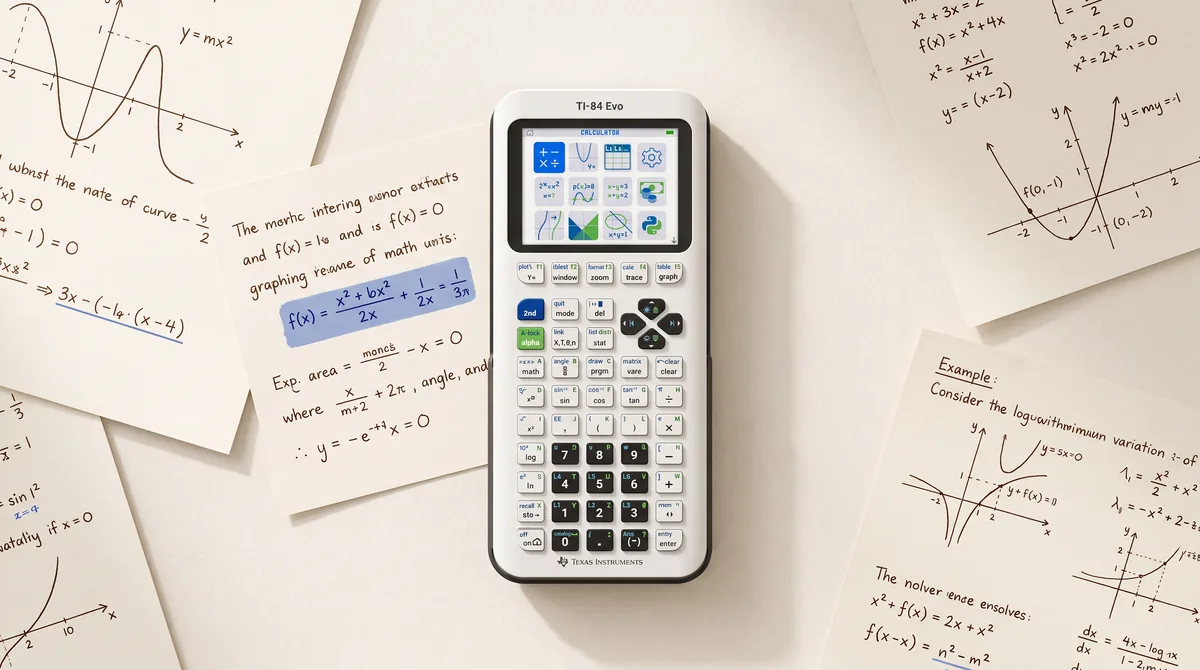
For twenty years, pressing apps on a TI-84 opened a menu of extra tools: geometry with Cabri Jr, a periodic table, science tools, spreadsheets. On the new TI-84 Evo, that key is gone — a fraction key sits in its place. If you're a student whose teacher says "open the Apps menu," or a teacher whose lesson plans reference it, here's exactly what happened and what it means.
What replaced it: an icon home screen
The Evo boots into an icon grid, reachable anytime via the on key (which now also carries a house symbol). The survivors of the Apps menu became first-class icons:
- Calculator · Y= Editor · List Editor · Mode Settings — formerly plain screens, now icons
- Numeric Solver — previously buried in the math menu
- Polynomial Root Finder and System Solver — formerly one app (PlySmlt2), now two separate tools
- Finance
- Transformation Graphing · Inequality Graphing · Lines and Conics — the latter significantly expanded
- Python and TI-Basic programming
Pressing the digit keys 1–9 and 0 jumps straight to the first ten icons — a small but genuinely nice shortcut.
What was deleted — permanently
These apps did not make the jump, and TI has announced no plans to port them:
- Cabri Jr (interactive geometry)
- Periodic Table
- Science Tools
- CellSheet (spreadsheet)
- Probability Simulation
- Vernier EasyData
This isn't an oversight — it's policy. TI markets the Evo as a deliberately "distraction-free" learning device. The geometry lessons built around Cabri Jr, in particular, will need new materials.
Why the old apps can never come back
On the TI-84 Plus CE, apps were separate pieces of software you could install, delete and even send to a friend's calculator — the link menu (2nd link) lists each app individually. On the Evo, that menu has a single entry: "send OS and Apps." Operating system and tools are now one inseparable unit.
The technical reason: the Evo's OS was rewritten natively for its ARM processor instead of emulating the ez80 chip the old flash apps were compiled for. There is simply nothing left that could run the old code. New file formats reflect the break too — TI-Basic programs are now .8xp2 instead of .8xp, and the Evo can no longer link with older calculators at all.
One pleasant side effect: languages are built in
On the CE, switching the calculator to German or French meant installing a language app. On the Evo, seven languages ship inside the OS — you pick one at the bottom of the MODE menu (◄ ENGLISH ►). No downloads, no app management.
What it means in practice
- Students: everything you need for math class is still there — solver, finance, graphing tools — just on the home screen instead of behind apps.
- Teachers: lesson plans referencing Cabri Jr, the Periodic Table or Probability Simulation need replacing; instructions like "press APPS" should become "press ON and choose the icon."
- Exam mode got smarter: it's granular. The supervisor chooses exactly which tools are locked (Python, solvers, the graphing apps) — and the Numeric Solver stays available only if the teacher allows it.
And if losing Cabri Jr & co. stings: several phone apps fill exactly those gaps these days. Our calculator app comparison covers which ones are worth it.
More: TI-84 Evo vs TI-84 Plus CE · The TI-84 Evo online calculator explained · Best calculator apps 2026